|
|
|
|
|
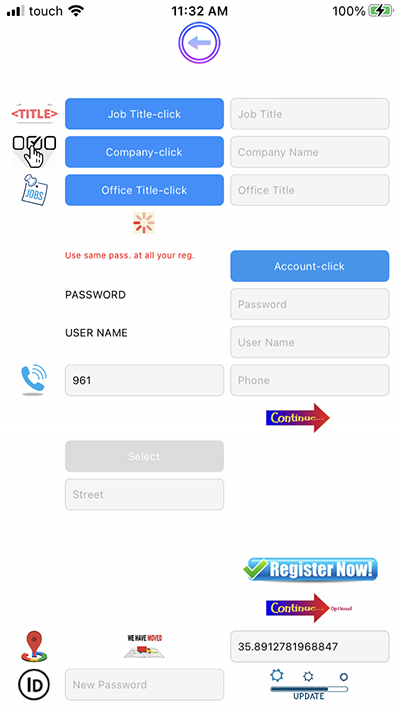
1- Click On Register Now
|
|
|
2- Click "Job Title-Click" |
|
3- A list Of Choices Appear
|
|
4-Choose From The List "Customer"
|
|
5-Click Under Company-Click
|
|
6-Choose The Company To Sale From
|
|
7- Click "Account-Click",Login Panel Appear
|
|
8-Put your Password,Username,Mobile
|
|
9-Click Continue,New Panel Appear
|
|
10-Click Select To Choose Your Profile Picture
|
|
* Put Your Address
|
|
11- Click Register Now,Wait
|
|
* Click Ok
|
|
12- Click Continue
|
|
13- Put Your ID ,Click Update
|
|
|
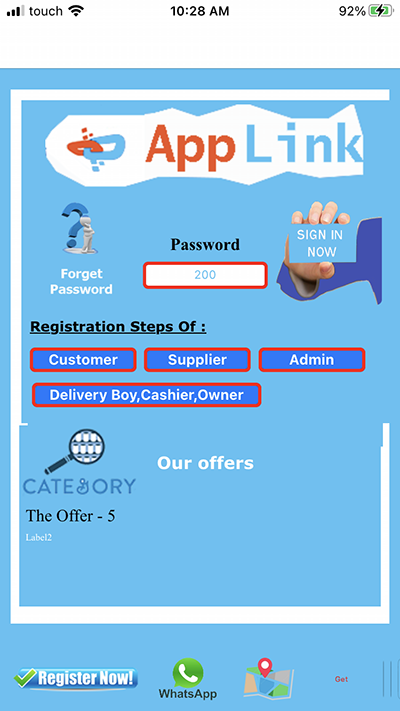
1- Use this password "200" To Buy
|
|
* Put 200 Under Password Then Click |
|
* Sign In Now
|
|
|
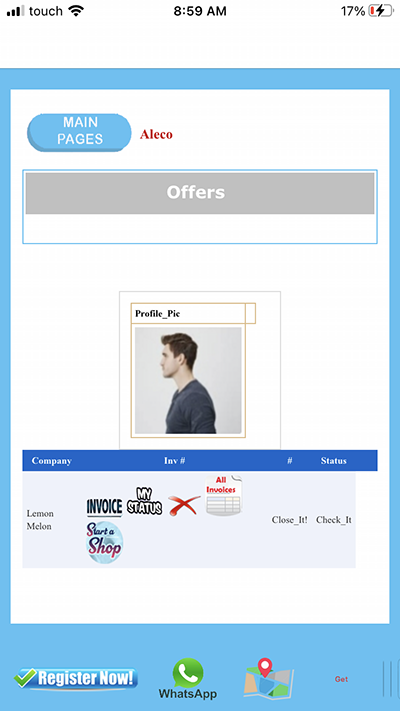
1- Click Start Shop To See The List
|
|
Of Family Of Items
|
|
2- Click "INVOICE" To Show Your
|
|
Last Of Opened Invoice
|
|
3- Click "MyStatus" To See Your
|
|
Invoice Status
|
|
4- Click On Delete To Remove
|
|
This Company From My List Company
|
|
5- Click on AllInvoices To See
|
|
Your List Of All Invoices
|
|
|
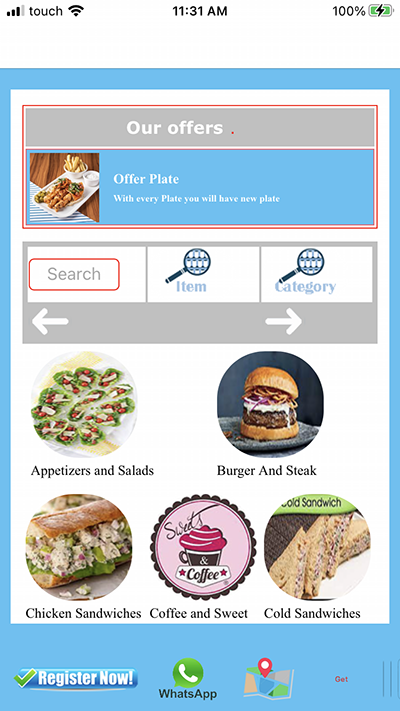
1- Click And Choose Any Family
|
|
You Want To Buy From
|
|
2- You Can Manipulate Between Families
|
|
By Clicking On Right Flech And Left
|
|
3- You can Use Search Box
|
|
|
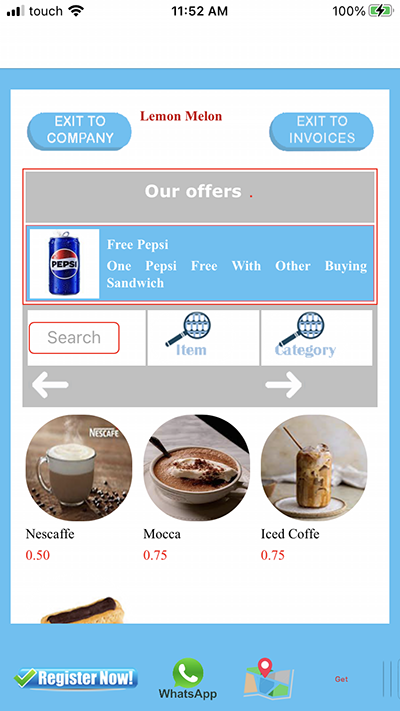
1- Click And Choose Any Item
|
|
You Want To Buy It
|
|
2- You Can Manipulate Between Items
|
|
By Clicking On Right Flech And Left
|
|
3- You can Use Search Box
|
|
|
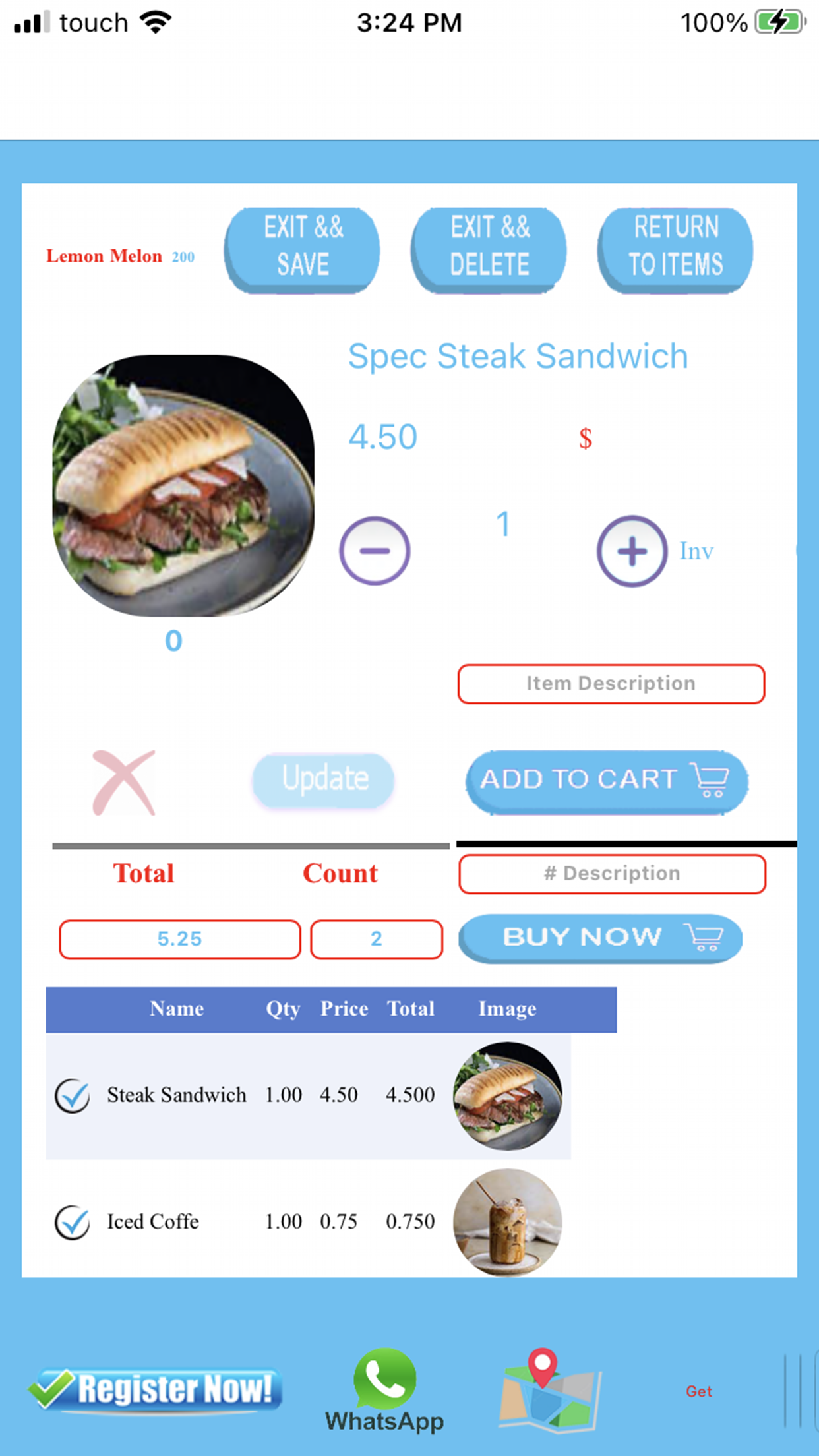
1- Click On + Or - To Change Item Quantity
|
|
2- You Can Put Item Description
|
|
3 - Click Add To Cart
|
|
4- If You Want Change The Item
|
|
Quantity Or Delete It,Click On
|
|
The Flech Near The Item Name then
|
|
Change Quantity And Update
|
|
5- Click "Return To Items" To Add Another one
|
|
6- Click"Exit And Delete" To Drop Invoice
|
|
7- Click"Buy Now" To Save && Send
|
|
|
|
|