|
|
|
|
|
1- Click On Register Now
|
|
|
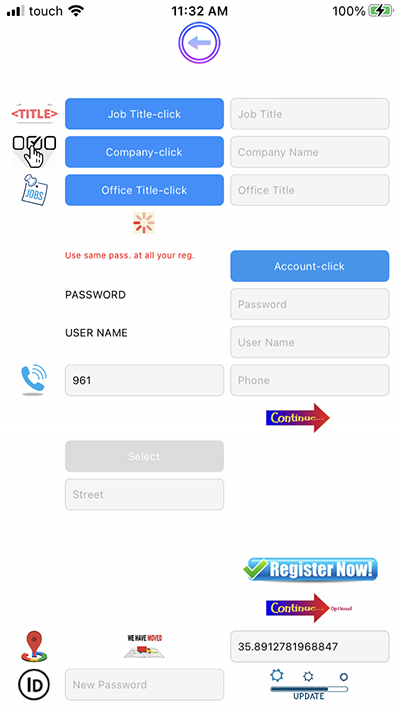
2- Click "Job Title-Click" |
|
3- A list Of Choices Appear
|
|
4-Choose From The List "Cashier - Deli-Owner"
|
|
5-Click Under Company-Click
|
|
6-Choose The Company To Sale From
|
|
7- Click "Account-Click",Login Panel Appear
|
|
8-Put your Password,Username,Mobile
|
|
9-Click Continue,New Panel Appear
|
|
10-Click Select To Choose Your Profile Picture
|
|
* Put Your Address
|
|
11- Click Register Now,Wait
|
|
* Click Ok
|
|
12- Click Continue
|
|
13- Put Your ID ,Click Update
|
|
|
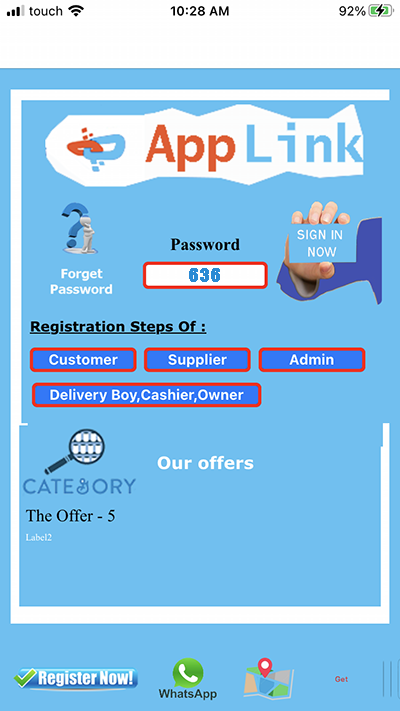
1- Use this password "636" To Buy
|
|
* Put 636 Under Password Then Click |
|
* Sign In Now
|
|
2- If You Click Manage,Invoices Will Displayed
|
|
|
|
|
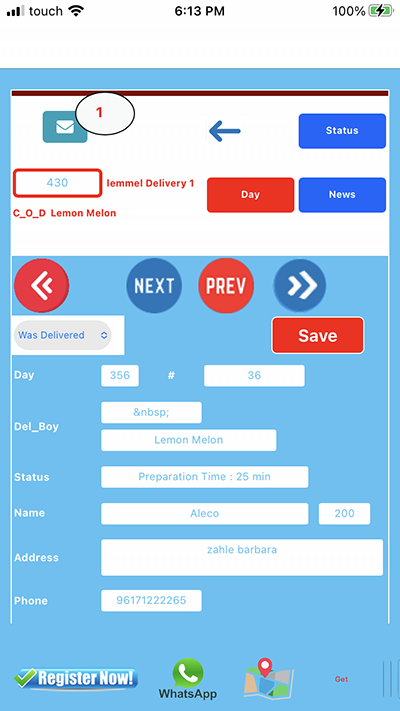
1- Click Top,Prev,Next To Navigate
|
|
Between Invoices
|
|
2- Put Description And Click Save
|
|
For Every Invoice
|
|
3- If you want to Open The Customer
|
|
Location ,Or Send WhatsApp To Him
|
|
Click Get , Then WhatsApp And Location
|
|
Will Be Available
|
|
|
|
|
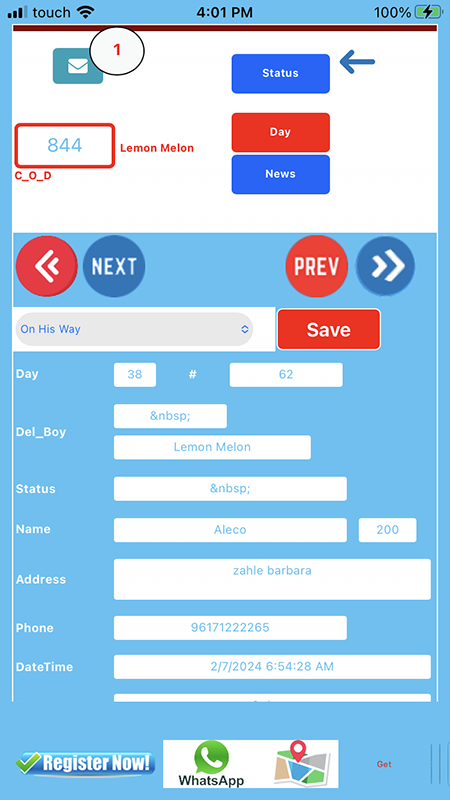
1- When you enter by delivery boy ID, |
|
2 - Display the invoice you need to deliver it |
|
3- click get in down of page |
|
4- click on map , the location of customer appear. |
|
NB:Be Sure That You Have Putting Your
|
|
Id and Click Update In Register Form |